


A Clear View of Your Beauty Business
Review sales activity and manage products, orders, customers, and promotions from one place.
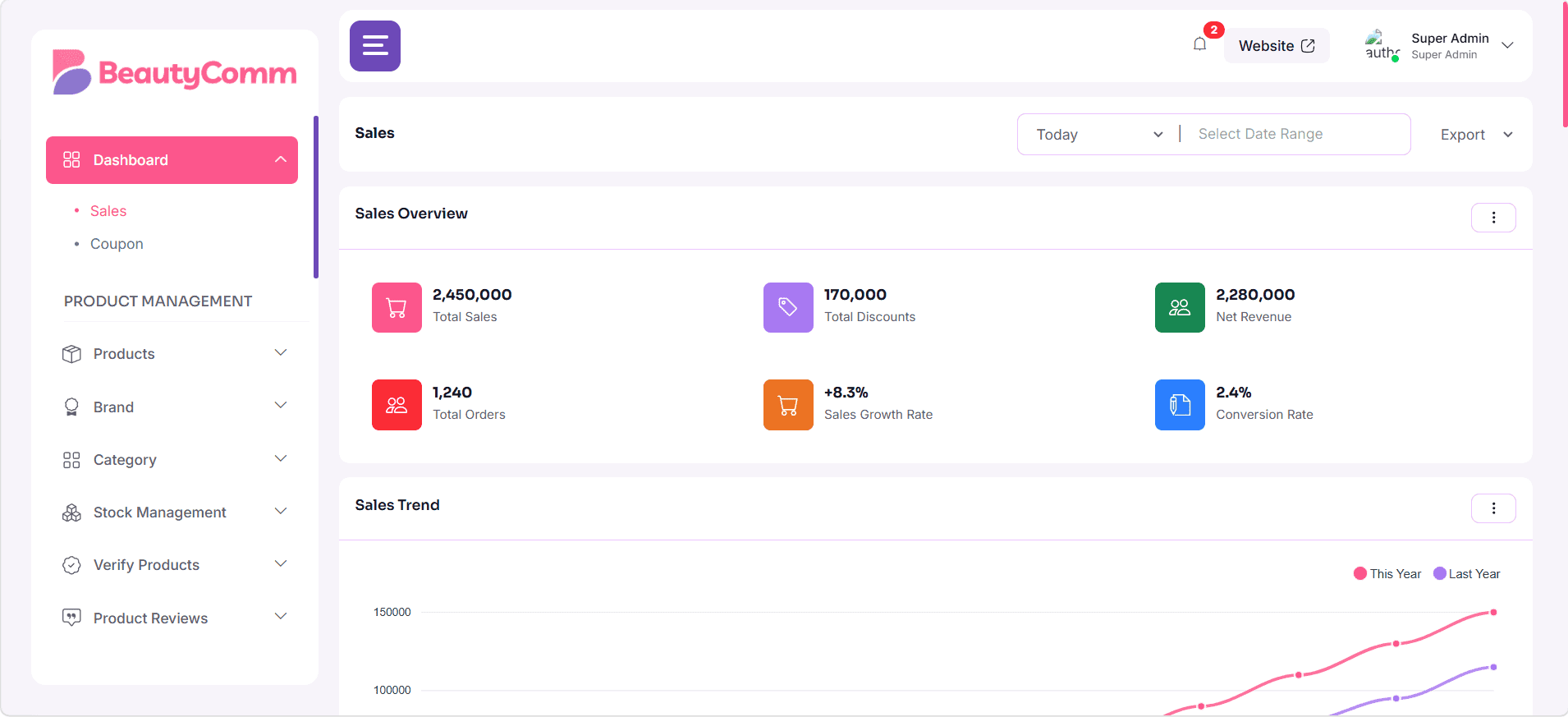
Designed Specifically for Cosmetics & Skincare Workflows
Use the tools visible in BeautyComm's admin panel to review sales and manage products, orders, customers, and coupons.
Product Catalog
Review product listings, publication status, approval status, and stock filters from the Products area.
Order Management
Browse orders by status, search and filter the list, or start a new order.
Customer Management
Find customer records, filter lists, review point history, and access customer exports.
Coupons & Promotions
Manage coupons, filter by type or date, and access coupon and order exports.
Stock Management
Access stock management from the product navigation alongside catalog and category tools.
Sales Overview
Review sales totals, discounts, net revenue, order count, growth, conversion, and sales trends.
Explore the Core Modules of the Admin Panel
Explore the product, order, customer, and coupon tools shown in the BeautyComm admin panel.
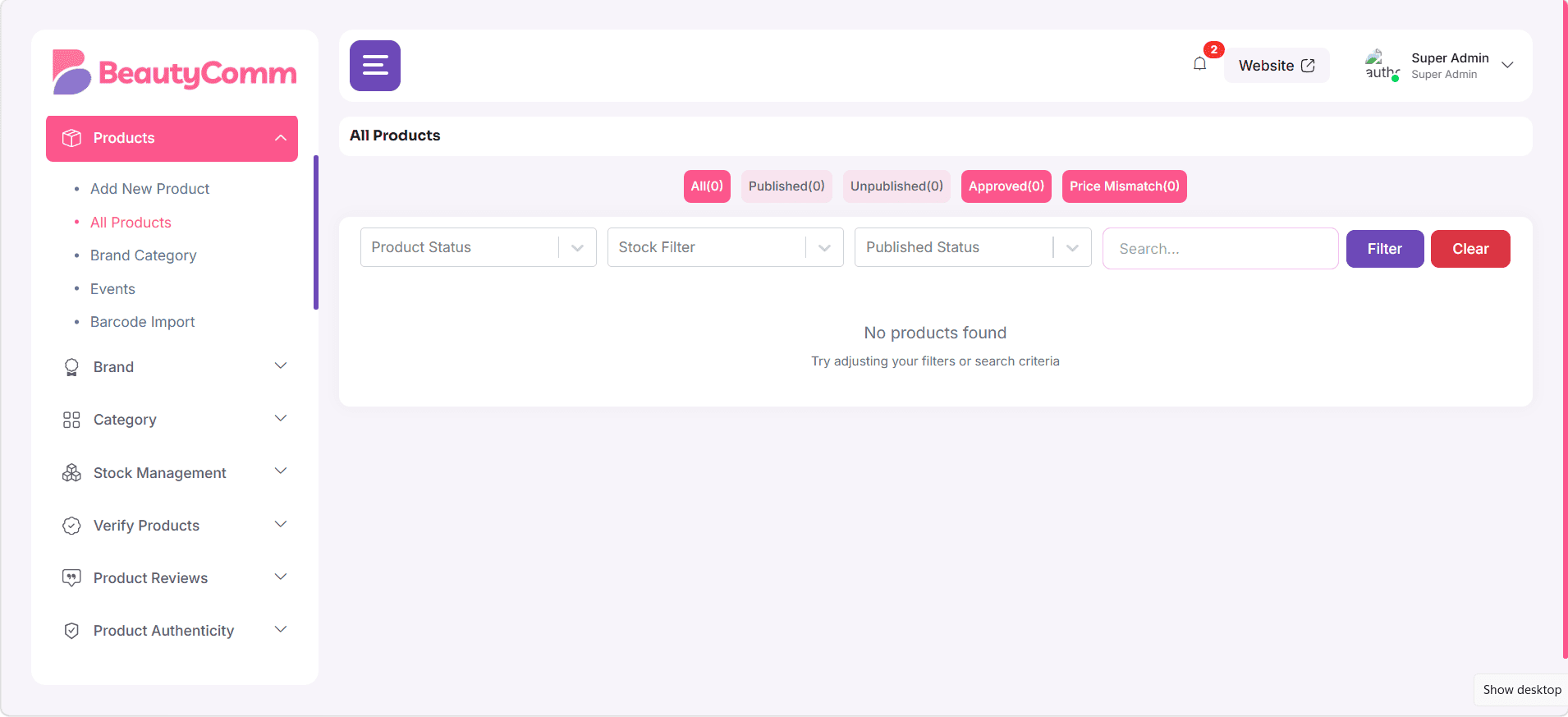
Keep Product Listings Organized
Use the Products area to review the catalog, narrow listings by product, stock, and publication status, and search for items.
- Review published, unpublished, approved, and price-mismatch counts
- Filter by product status, stock, or publication status
- Search and clear filters from the product list
- Navigate to product, brand, category, and stock management
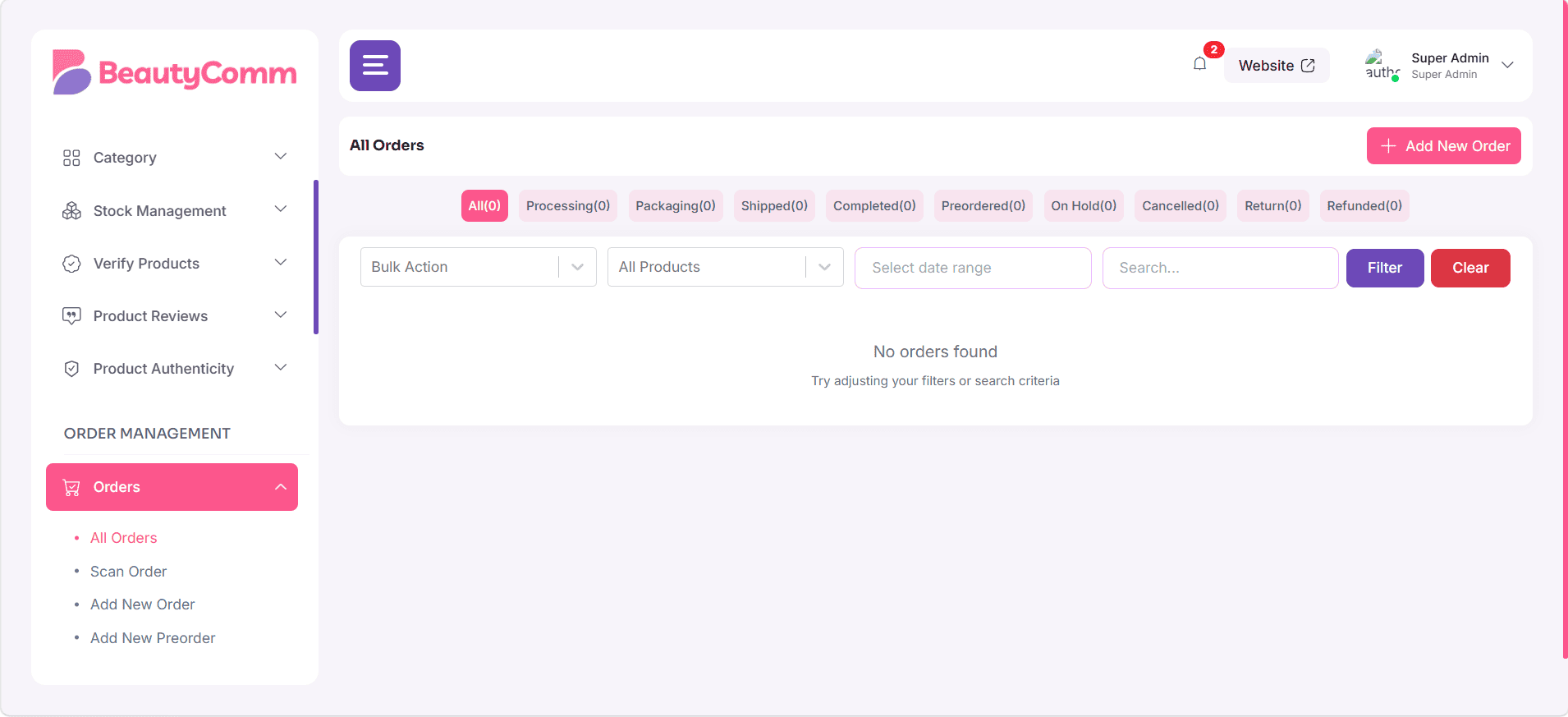
Review Orders by Status
See orders grouped by their current status, then filter by product or date, search the list, or add a new order.
- View processing, packaging, shipped, completed, and other order statuses
- Filter orders by product and date range
- Search or clear the current filters
- Start a new order from the order list
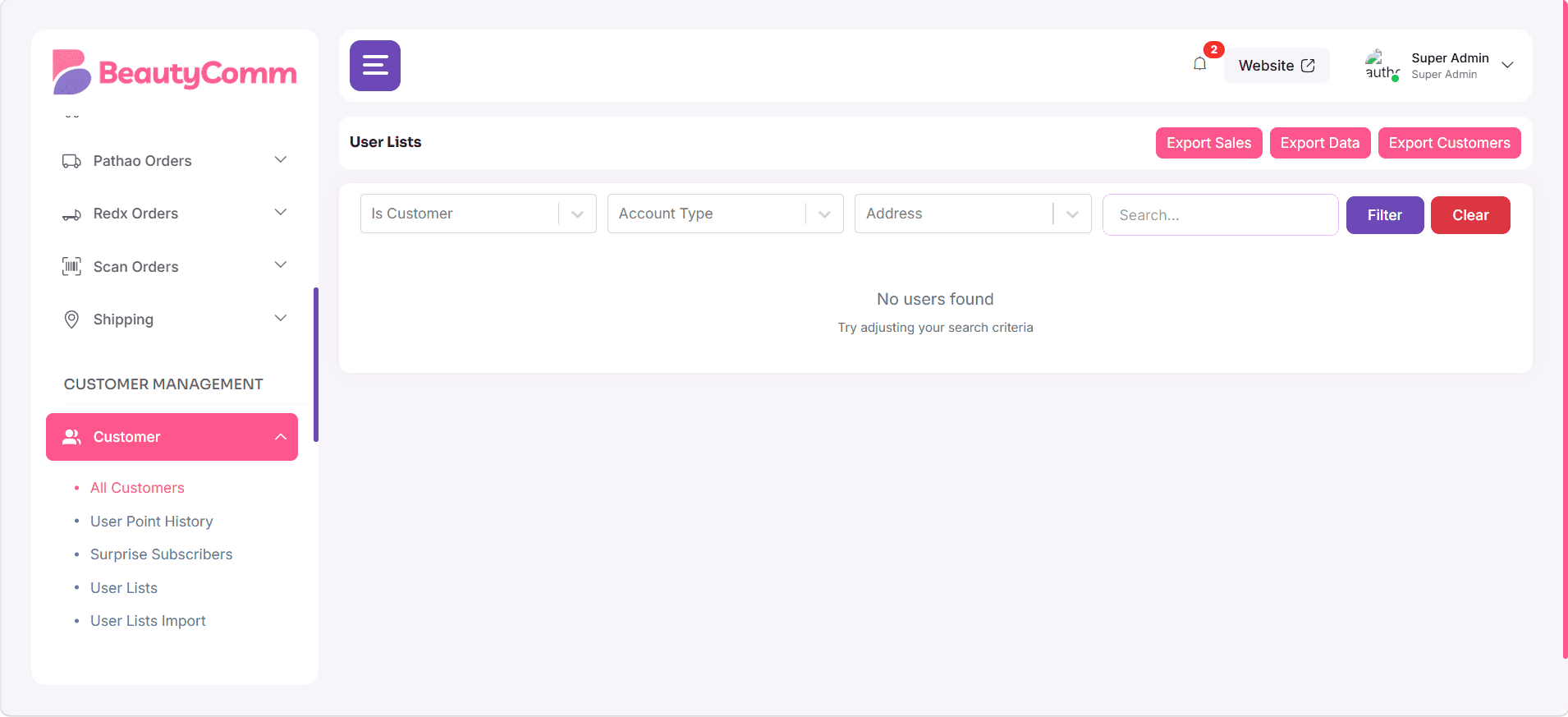
Find and Manage Customer Records
Use customer filters and search to work with customer lists. The admin panel also provides customer export actions and links to related customer tools.
- Filter by customer status, account type, or address
- Search customer lists
- Export customer data
- Navigate to point history, subscribers, and customer list tools
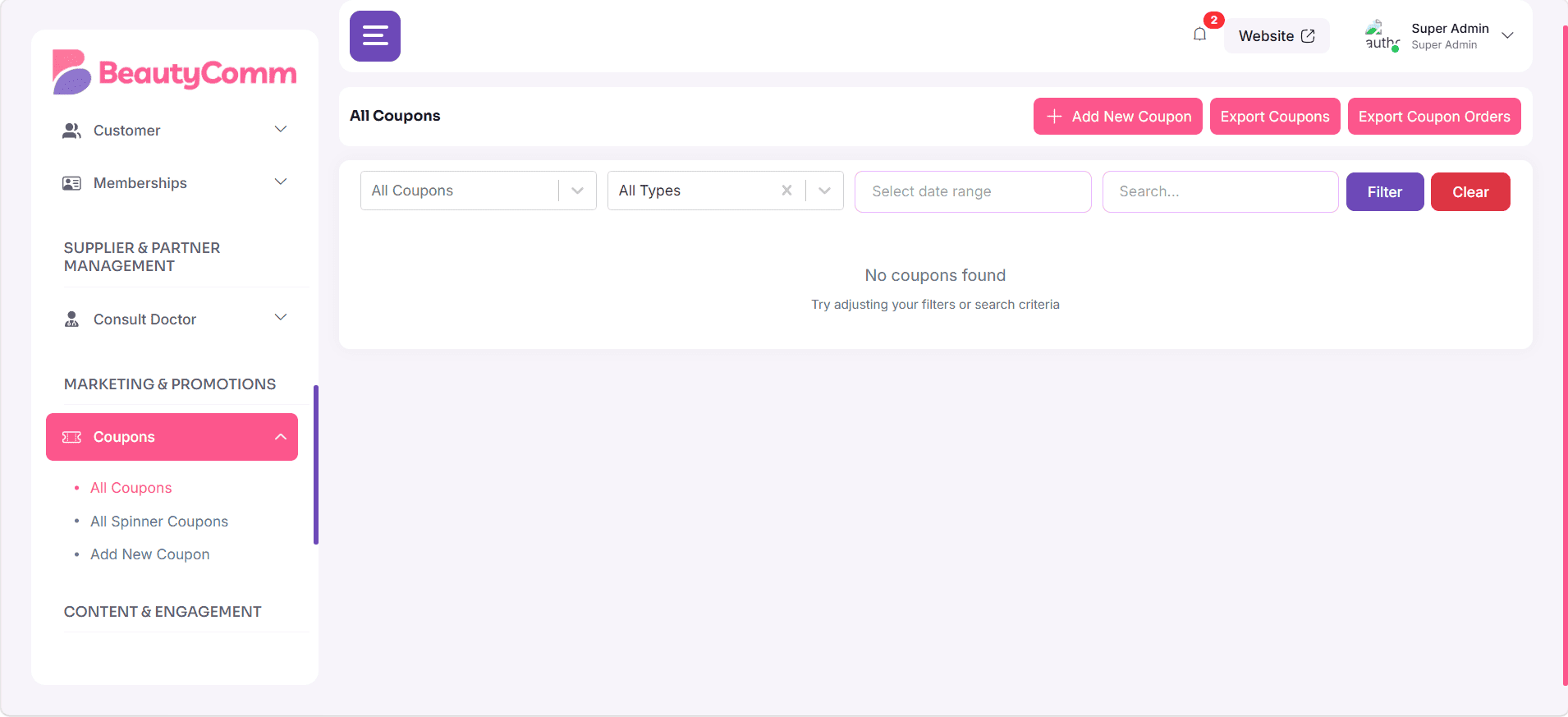
Manage Coupons and Promotions
Review coupons in one place, narrow the list by type or date, and use the available coupon and coupon-order export actions.
- Add a new coupon
- Filter coupons by type and date range
- Search the coupon list
- Export coupons and coupon orders
Built with Every Essential Store Operator Tool
A closer look at the sales, product, order, customer, and coupon tools.
Sales Summary
Review total sales, discounts, net revenue, orders, growth, and conversion in the dashboard.
Sales Trends
Compare the sales trend for this year and last year.
Product Filters
Narrow the product list by status, stock, and publication status.
Order Statuses
Review orders by processing, packaging, shipping, completion, and other statuses.
Customer Search
Filter customer lists by status, account type, or address, then search.
Customer Exports
Access customer, sales, and data export actions from the customer lists screen.
Coupon Management
Find coupons by type or date, and access coupon and coupon-order exports.
Stock Management
Open stock management from the product navigation.
Experience the BeautyComm Admin Backend Live
Explore the BeautyComm admin panel for yourself and see its sales, product, order, customer, and coupon screens.